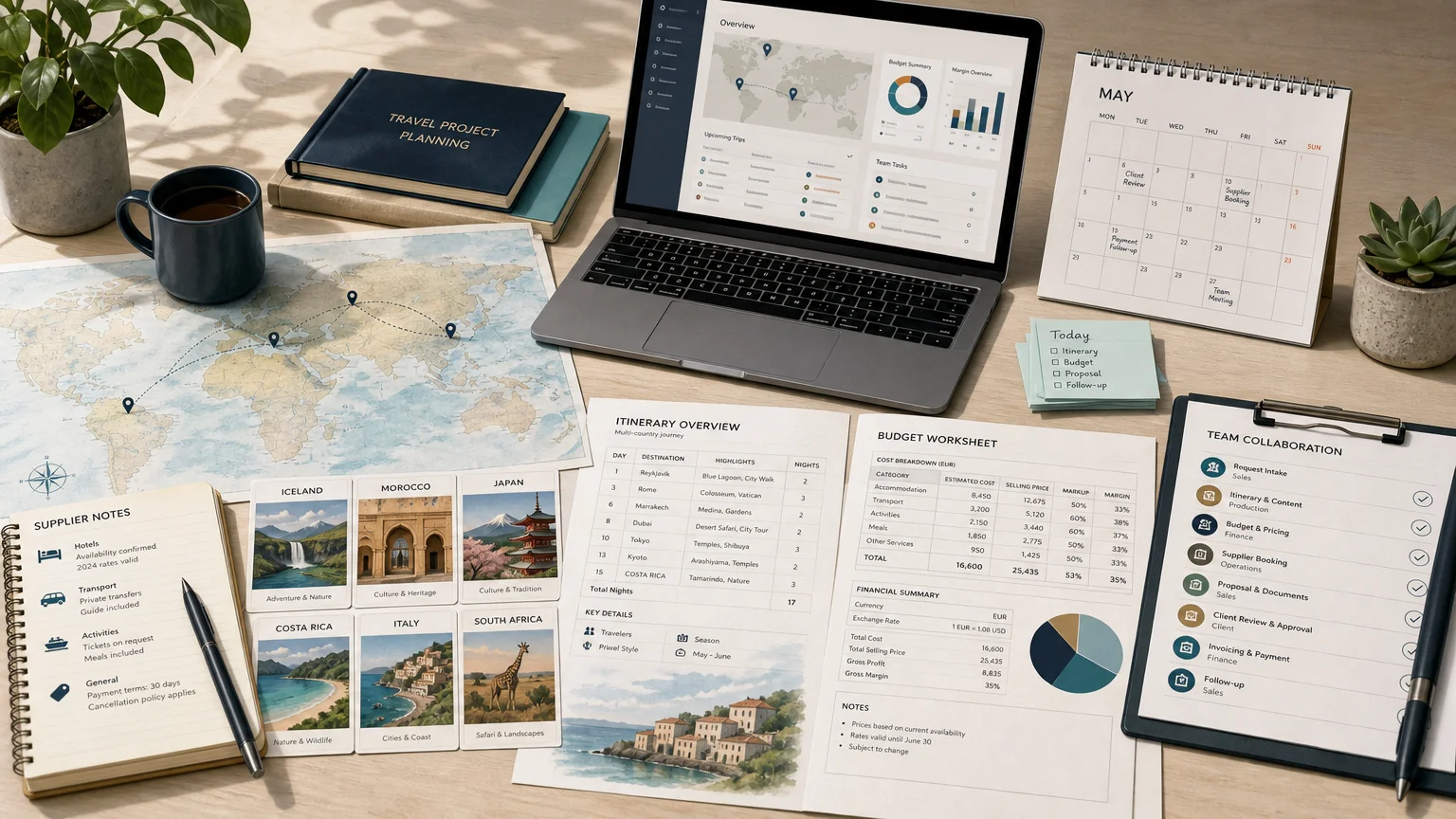
Summary: Travel project templates give agencies, tour operators, DMCs, and travel planners a repeatable structure for itineraries, budgets, tasks, supplier information, and client communication. The right format depends on whether you need a personal trip plan, a collaborative workspace, a polished presentation, or a complete business workflow that can be duplicated and adapted.
A template saves little time if it only changes the appearance of a document. For a travel business, useful travel project templates should preserve the parts of a successful trip that are worth reusing, including the itinerary logic, products, pricing structure, task sequence, and client-facing content. Our travel agency template library is designed around this operational need, helping teams start from a proven project instead of a blank file.
Personal travelers, corporate travel coordinators, and professional agencies do not need the same template. A weekend trip may require a simple document, while a multi-country program may involve suppliers, currencies, approvals, margins, invoices, and several internal owners. Choosing the right format begins with understanding the difference between a travel document and a reusable travel workflow.
What are travel project templates designed to organize?
A travel project template is a reusable structure for planning, producing, selling, or delivering a trip. It can be as simple as a day-by-day itinerary or as detailed as a complete project framework containing destinations, products, supplier details, costs, markups, deadlines, client documents, and follow-up tasks.
The most useful templates usually organize five layers of information:
This structure matters because travel projects rarely remain static. A client may change the dates, remove an activity, add another country, request a different hotel category, or ask for a new level of service. A reusable template should make those changes manageable without forcing the team to rebuild every element.
The OECD tourism report published in 2026 highlights the importance of strategic, data-driven tourism management and the growing role of digital tools. For travel businesses, that reinforces a practical point: a template is more valuable when it connects structured information with the decisions and actions that follow.
Which template format fits your travel project?
Imagine three situations. A couple planning a short holiday needs a readable itinerary. A group organizer needs shared tasks and cost tracking. A DMC preparing a client proposal needs reusable products, supplier information, pricing, approvals, and branded documents. Each situation may use the word “template,” but the operational requirements are different.
Document templates work well for concise, readable plans. Microsoft Word and Google Docs can hold dates, accommodation details, booking references, daily activities, and emergency contacts. They are easy to print and share, but they are less suitable for formulas, complex workflows, or several people updating structured data.
Spreadsheet templates are useful when costs, ownership, and status matter. Excel and Google Sheets can include separate areas for the itinerary, budget, packing list, bookings, receipts, and quick-reference information. They are practical for group trips and business travel, although a detailed spreadsheet may become difficult to read on a phone or present directly to a client.
Presentation templates focus on visual communication. Canva, PowerPoint, Slides, and similar tools can create destination guides, travel proposals, photo albums, and polished itineraries. They are appropriate when the final output needs strong visual hierarchy, but they generally require more manual updates when dates, prices, products, or schedules change.
Workspace templates combine documents, databases, tasks, and views. Notion-style systems can connect reservations, activities, places, budgets, and checklists. This approach supports flexible planning, but it may require setup and user adoption. If some participants only need the final itinerary, the team may still need to export a simpler version.
Travel-business project templates go beyond the final document. They are designed to preserve a complete production model, including itinerary content, products, pricing, budgets, supplier information, task sequences, and client deliverables. This is the format agencies and operators should consider when they want to duplicate an existing project, adapt it to a new request, and maintain control of commercial and operational details.
Why reuse matters more than visual design
A polished layout can improve readability, but it does not automatically reduce production time. Reuse becomes valuable when the template captures the decisions that took expertise to make, such as the order of destinations, realistic travel times, preferred suppliers, standard inclusions, pricing logic, and the sequence of internal checks.
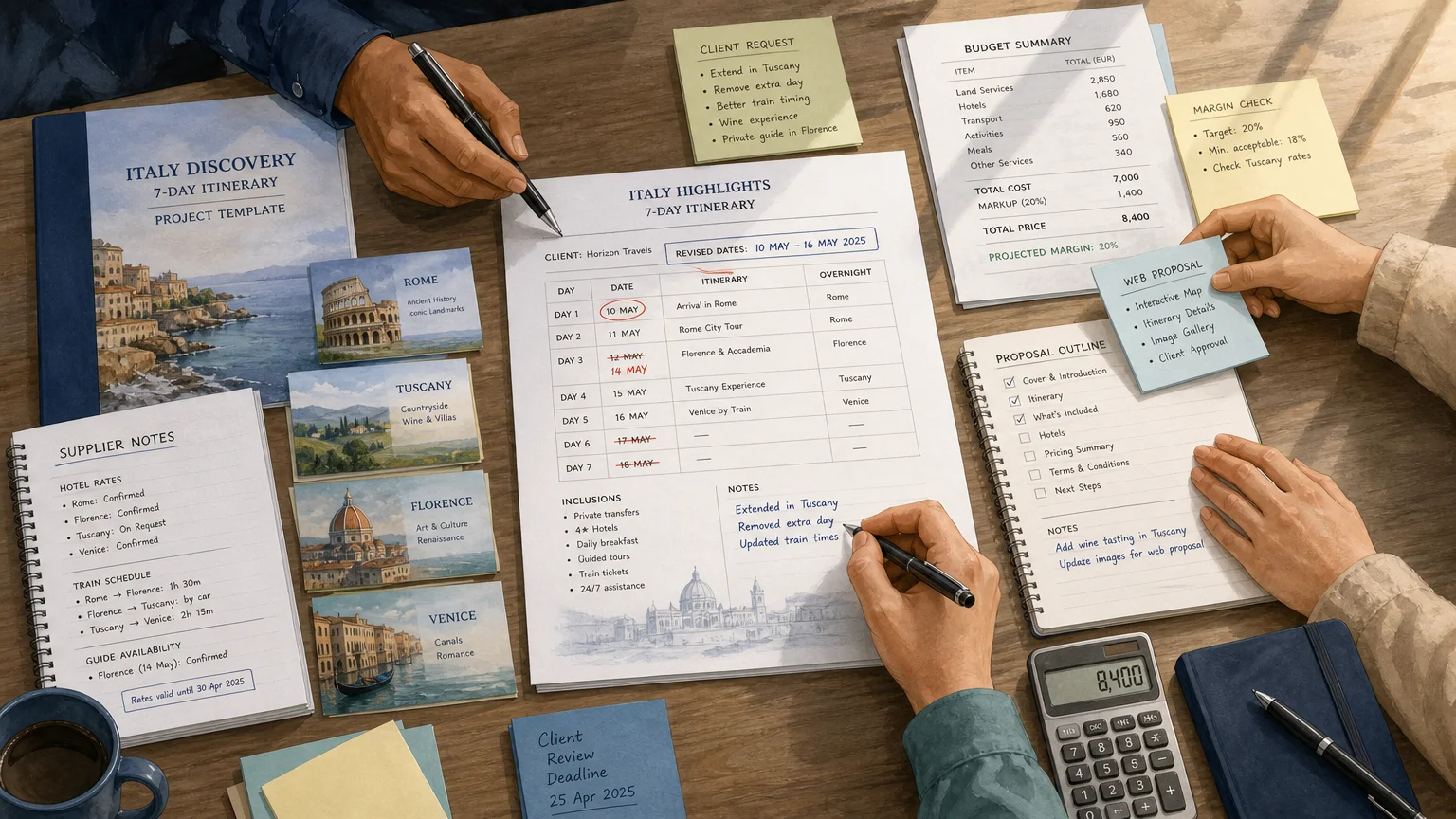
For example, an agency may have a successful 10-day cultural program with a reliable hotel sequence, tested transfers, preferred guides, and a proven pricing structure. A project template allows the team to preserve that foundation while changing the arrival city, travel dates, room categories, activities, or client preferences.
This approach is different from copying an old PDF. A PDF preserves the appearance of the result, but it rarely preserves the editable logic behind the project. A reusable project template should keep the underlying itinerary, products, content, budgets, and pricing available for adaptation.
Our project-template catalog allows travel teams to create sample projects from scratch or save existing projects as reusable templates. Templates can include itineraries, products, content, budgets, and pricing, then be organized by destination, sub-destination, labels, and dates. This helps teams find a relevant starting point without replacing the original client project.
Reuse also supports consistency. When several sales or production employees prepare similar trips, a shared template reduces the risk that one person forgets a transfer, uses an outdated inclusion, or applies an inconsistent pricing structure. The template remains a starting point, not a substitute for professional review.
What should a professional travel project template include?
The right content depends on the type of travel business, but a professional template should answer more than “What will the traveler do each day?” It should also show how the project will be priced, produced, checked, approved, and delivered.
1. A clear project brief
Start with the request itself. Include the traveler profile, dates, destinations, purpose, budget range, preferences, exclusions, language, currency, and required service level. This gives the team a reference point when the itinerary is adapted for a new request.
2. A modular itinerary structure
Use day-by-day sections that can be duplicated, removed, or reordered. Each day may include transport, accommodation, activities, meals, free time, contact details, maps, and operational notes. Modular content is easier to adapt than a single long narrative.
3. Products and supplier information
Record the products that support each itinerary element. Depending on the business, this may include hotels, guides, restaurants, transfers, excursions, venues, activities, and local partners. Supplier information should remain separate enough to update without rewriting the complete trip.
4. Budget and pricing fields
A professional template should distinguish supplier cost, internal cost, markup, selling price, taxes, currency, and projected margin where relevant. This prevents a visually polished proposal from hiding an incomplete commercial calculation.
5. Task ownership and deadlines
Assign responsibilities for supplier requests, availability checks, booking confirmations, document production, client follow-up, payment, invoicing, and final quality control. A template becomes more useful when it makes ownership visible instead of leaving actions inside email threads.
6. Client-facing outputs
Decide which information will appear in the quotation, proposal, itinerary, traveler portal, invoice, or final travel document. Internal notes and supplier costs should not be confused with the content intended for the client.
Our travel project task tables support this operational layer by giving teams a structured place to track actions alongside the wider project. That connection is important for agencies that need to move from an approved proposal to supplier bookings, invoicing, and delivery without creating a separate manual checklist.
How do templates support collaboration and client communication?
Travel projects often pass through sales, production, finance, operations, and management. A template should help those roles work from the same information while exposing only the details each person needs.
Centralized project data reduces the risk of version conflicts. Instead of keeping one itinerary in a document, another price in a spreadsheet, and supplier confirmations in an inbox, the team can work from a shared project structure. This is especially useful when a client requests several revisions before approval.
Client communication also benefits from a clear separation between internal and external content. Internal teams may need supplier costs, projected margins, booking status, and task ownership. Travelers may need a readable itinerary, maps, booking information, contact details, and approval options.
For polished client delivery, our platform supports customizable documents, interactive web presentations, and personalized traveler portals. These options allow the same underlying project to support internal production and external communication, rather than requiring the team to rebuild the trip in another tool.
A template should also support change history through disciplined updates. When a hotel changes, a transfer is delayed, or an activity becomes unavailable, the team needs to know which version is current. Clear status fields, review steps, and defined owners are often more valuable than adding decorative elements.
How should international and group travel templates be adapted?
International travel introduces additional variables. A template may need multiple currencies, languages, countries, brands, tax treatments, time zones, supplier types, and document formats. A personal spreadsheet can record some of these details, but a professional workflow must keep them connected.
The Bureau of Transportation Statistics program described in 2026 is being developed to improve long-distance travel and tourism data in the United States. Although that program is not a template standard, it illustrates the broader operational challenge: travel organizations need information that is current, structured, and useful for decisions.
For multi-country itineraries, organize templates by destination and sub-destination. Add labels for trip type, season, service level, language, client segment, or brand. Avoid fixed dates unless the project genuinely depends on a specific event. Date-flexible templates are easier to reuse for future requests.
For group and MICE programs, add participant counts, rooming lists, meeting schedules, venue requirements, transport rotations, activity capacity, dietary information, and approval deadlines. The template should also identify what is confirmed, what is provisional, and what depends on a supplier response.
The 2026 U.S. Travel group report focuses on business travel connected with trade shows, corporate events, and conferences, while also recognizing adjacent group segments such as incentive travel. These programs require more than a day-by-day itinerary because the project includes people, logistics, timing, venues, and operational dependencies.
What are the main limitations of free travel templates?
Free templates are useful when the scope is simple. A traveler planning a short personal trip may only need dates, flights, accommodation, activities, costs, and emergency contacts. A downloadable Word, Excel, Google Sheets, or Canva file can provide a practical starting point.
The limitations appear when the project changes frequently or involves several stakeholders. A static file does not automatically update supplier information, calculate commercial margins, manage approvals, assign tasks, or create a client portal. The user must build those processes manually or connect several other tools.
Another limitation is content quality. A template provides structure, not destination expertise. The team still needs to confirm availability, opening times, travel distances, supplier terms, local requirements, and realistic timing. A well-designed file can make incomplete information look finished, which is why operational review remains necessary.
Data bias is also relevant when teams use external travel information to build reusable projects. A 2026 study in Tourism Management research explains that crowdsourced data can support tourism demand modeling, while also presenting challenges related to missing information and bias. Templates should therefore make room for source checks, manual validation, and updates.
For a professional agency, the practical question is not whether a free template exists. It is whether the template can remain accurate when the agency handles more destinations, more suppliers, more languages, more currencies, and more client revisions.
How can you choose the right travel project template?
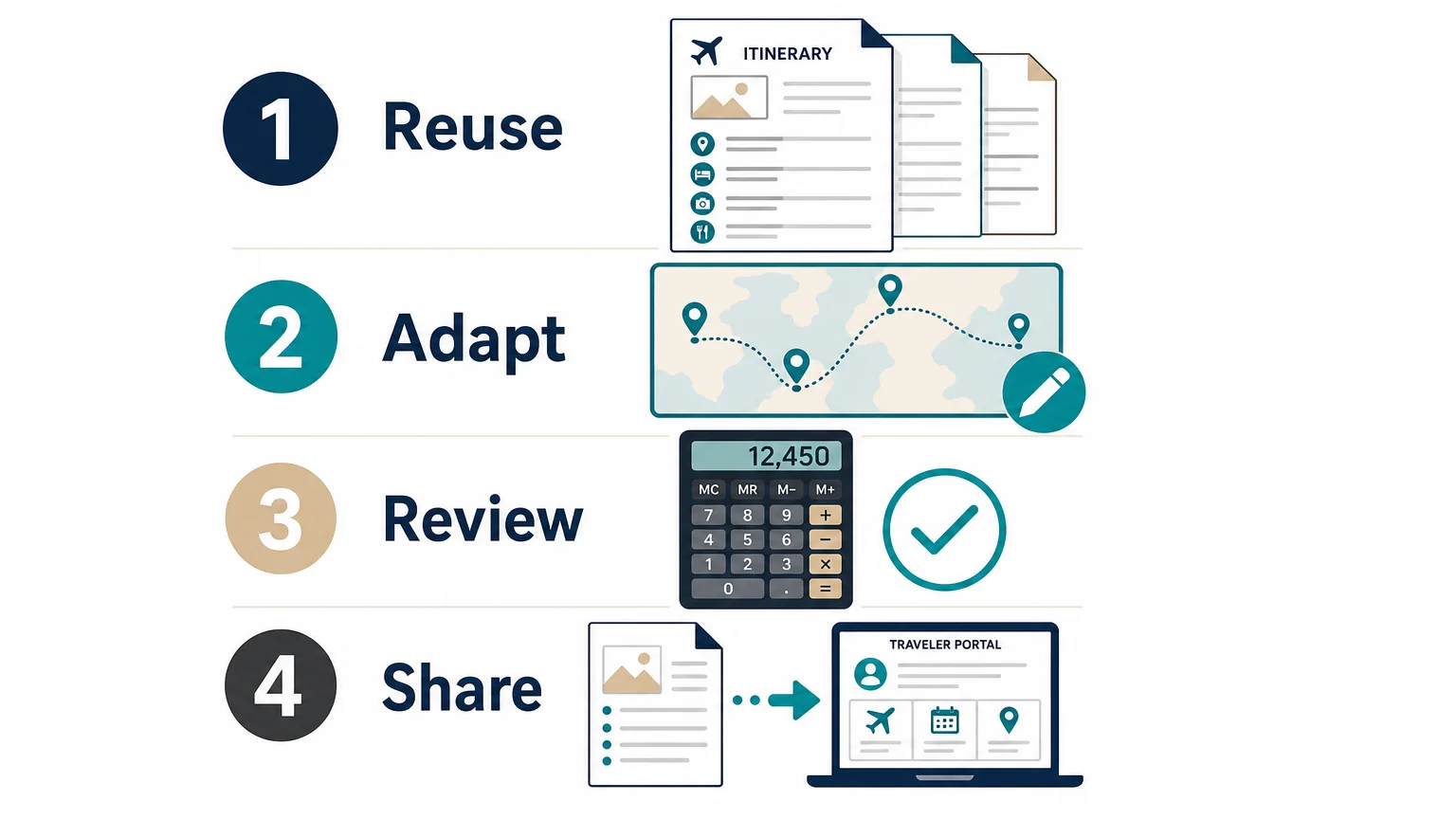
Begin with the work you want to repeat. If the main need is a printable itinerary, choose a document template. If the main need is cost tracking, consider a spreadsheet. If several people must complete tasks, use a collaborative workspace or task system. If the main need is producing and selling repeatable trips, select a travel-business project template.
Then evaluate the following criteria:
Implementation deserves particular attention. Our onboarding process includes configuration, training, support, and guidance for moving into a structured workflow. Formatted imports require data to be placed in the relevant template, while raw-data migration is assessed according to the work involved. The mandatory one-time Onboarding Pack is listed at 1,990€ excluding tax, and optional imports, training, customizations, and integrations may involve additional charges.
We support more than 600 agencies in more than 70 countries, with use cases spanning travel agencies, DMCs, tour operators, tailor-made travel businesses, and MICE agencies. That scale does not make every template suitable for every company, but it gives professional teams a relevant benchmark when assessing whether a reusable project workflow can support real operational complexity.
Choose a template that preserves the work behind the trip
The most useful travel project templates do more than display an itinerary. They preserve the structure, commercial logic, operational tasks, supplier information, and communication assets that help a travel team produce consistent work. Personal documents and free spreadsheets remain practical for simple trips, while agencies and operators should look for reusable projects that can be adapted, reviewed, priced, approved, and delivered without starting again.
Turn Reusable Plans Into Faster Travel Operations
When your team repeatedly builds similar trips, the right template can become a foundation for faster quotation, clearer collaboration, and more consistent delivery. A connected workflow is especially useful when projects involve multiple destinations, suppliers, currencies, departments, or client revisions.
With our project-template catalog, you can save existing projects or build sample projects containing itineraries, products, content, budgets, and pricing. Organize them by destination, sub-destination, labels, and dates, then duplicate and adapt the right starting point for each request. Explore the travel project templates catalog to see how reusable project structures can support your travel operations.
Frequently Asked Questions
What is a travel project template?
A travel project template is a reusable structure for planning or producing a trip. It may include an itinerary, products, supplier information, budgets, prices, tasks, documents, and client communication fields.
Are travel project templates useful for personal trips?
Yes. Personal travelers can use them to organize transport, accommodation, activities, costs, documents, and emergency contacts. A document or spreadsheet is usually sufficient for a simple trip, while a collaborative workspace may help groups coordinate responsibilities.
What is the difference between an itinerary template and a project template?
An itinerary template mainly presents the traveler’s schedule and trip details. A project template can also preserve internal tasks, supplier data, pricing, budgets, approvals, and operational steps needed to create and deliver the trip.
Can a travel agency reuse an existing client project?
Yes, if the system allows the team to save the project as a separate reusable template. In our platform, teams can preserve the original project while creating a template that can be duplicated and adapted for future requests.
What should agencies check before adopting a template?
Check editability, duplication, destination organization, budgeting, task ownership, collaboration, client presentation, international capabilities, and migration support. You should also confirm whether the template is a standalone file or part of a broader travel production and operations platform.
.jpeg)

Join Ezus today
Request a demo today and discover how our software can help you reach new heights.





.jpg)