

When a booking changes, does your team update the itinerary, client record, supplier details, and accounts separately? Travel software integrations link these systems so teams can share information across daily workflows. For finance teams, a well-planned accounting integration for travel software is one example of connecting processes that otherwise rely on repeated data entry.
The right connections depend on what your agency sells and how your team works. A tailor-made travel agency may prioritize customer records and accounting, while a DMC may focus on suppliers, bookings, and operational updates. Begin by identifying which information needs to move, who owns it, and what should happen when a record changes.
Which systems should travel software connect?

Start with the systems that hold information your team uses more than once. Common connections include CRM systems for client and prospect records, email and document tools for communication and proposals, and accounting software for invoices and financial records. Booking systems, bedbanks, suppliers, and white-label websites can also be part of an agency’s setup.
These connections serve different purposes. A booking connection can pass reservation details into a trip file, while a CRM connection can make client details available during sales follow-up. An accounting connection focuses on financial records, not necessarily every operational update. List the records and workflow you need before comparing what a provider calls an integration.
In Expedia Group’s 2026 survey of travel management company leaders, 96% said their organizations were investing in content and booking platform integration, and 41% planned to increase investment. Those results reflect surveyed TMC leaders, not every type of travel agency, but they show that connecting content and booking systems is an active business priority. Read Expedia Group’s 2026 study for the survey context.
Choose a connection method that fits the workflow
Consider a supplier booking that needs to appear in an itinerary and trigger a team update. The best connection method depends on how the information moves and how much control your team needs over that process.
A native integration is a connection built to work between named systems. It can reduce setup effort, but confirm which records and actions it covers. An API integration connects systems through defined endpoints and data rules. It is useful when a team needs a specific exchange, but implementation and maintenance require technical ownership.
Webhooks send an event notification when something happens, such as a record changing. They can support timely updates, but your team should ask what events are available and how failed deliveries are handled. No-code connectors and custom exports offer other ways to move data, with different levels of flexibility and ongoing oversight.
If you need customer records to flow into sales and follow-up processes, our guide to CRM integration for travel software covers that use case. Check what data is exchanged, in which direction, and whether the connection updates records automatically or requires a team member to review them.
Give every important record a clear owner
One client, one supplier, or one trip can appear in several connected systems. Decide which system owns each record before information starts moving. For example, a CRM might own client contact details, travel software might own the working itinerary, and accounting software might own the final financial record.
Then define the data mapping: which fields match across systems, how unique records are recognized, and what happens when details conflict. If a client changes an email address in one system, should that update the others? If two records look similar, should the integration merge them, flag them, or leave them for staff to review?
Data fragmentation is a practical risk, not just a technical concern. In a BCD Travel survey of 197 travel buyers worldwide in April 2025, respondents identified data fragmentation and making travel data proactive as major challenges. The survey is about travel buyers, not agency software integrations specifically, but it highlights why teams should define data ownership and reporting needs. See BCD Travel’s 2025 survey for its scope and findings.
Check access, plan limits, and migration requirements
Before implementation, confirm which tools and connection methods your software plan supports. Ask whether access to an API, webhooks, single sign-on, or custom integration work is included, plan-dependent, or separately configured. Do not assume that a listed connection covers every feature or every version of an outside system.
Agree on access controls before connecting client, traveler, payment, or supplier information. Confirm who can authorize the connection, what data it can read or change, and how access can be revoked. Also ask how the systems handle errors, duplicate records, and changes made while a connection is unavailable.
Migration is a separate task from ongoing synchronization. If you are bringing in existing clients, projects, templates, or supplier information, ask what file format is required and how records will be checked. At Ezus, we provide onboarding, configuration, training, and technical support; data imports and custom integrations can involve optional paid services.
Customer-facing channels add another reason to control which data is shared. Deloitte’s 2026 travel outlook reports that nearly a quarter of travelers used generative AI tools for trip planning in late 2025, about three times the 2022 level. This measures traveler behavior, not agency software adoption; it makes a useful case for deciding which itinerary and booking information is approved for external tools. See Deloitte’s 2026 outlook for the report context.
Test travel agency software integrations before go-live
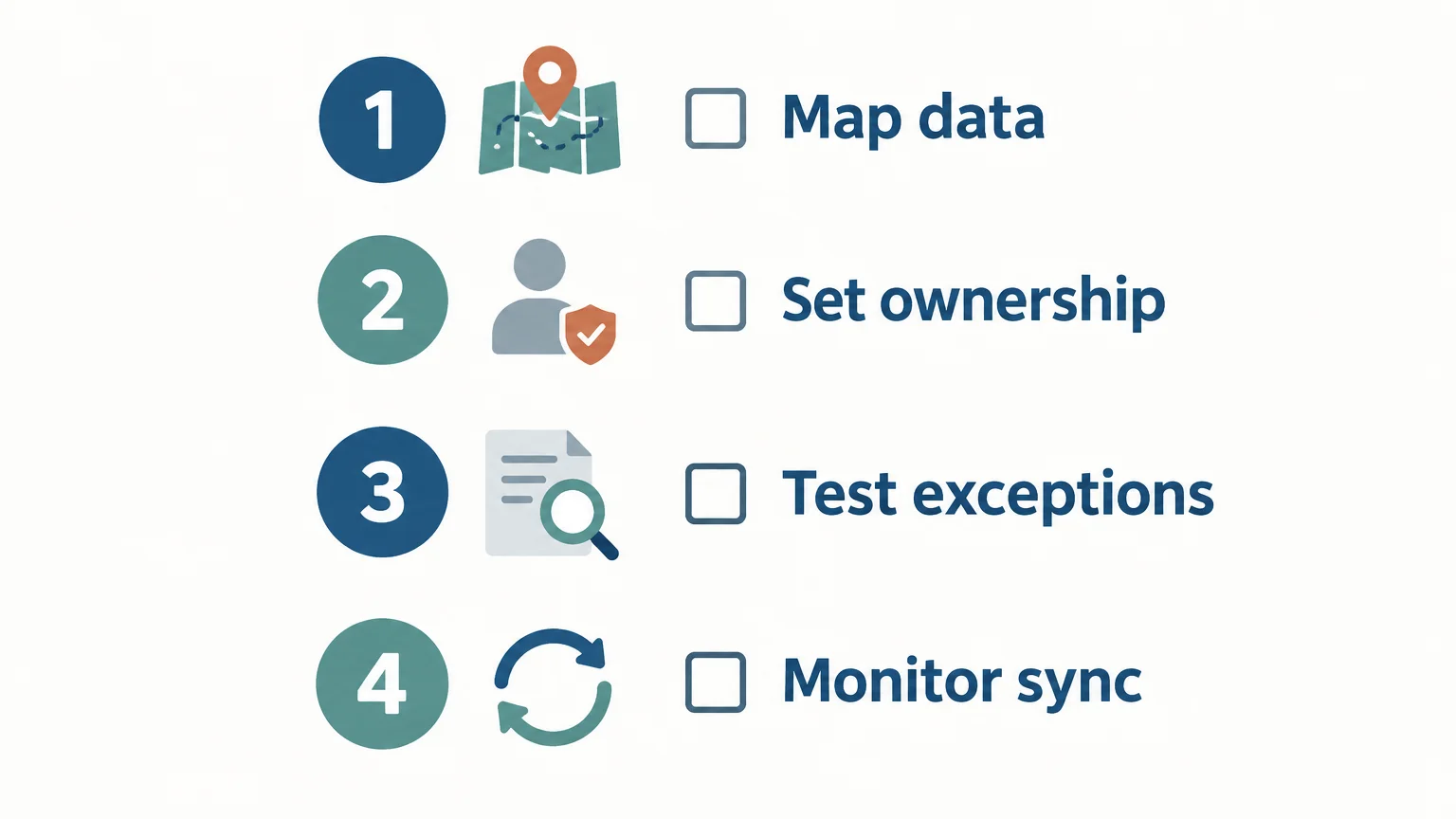
A short test with realistic records can expose mismatched fields and unexpected updates before the whole team depends on a new connection. Use sample records first, then confirm the process with the people who handle sales, operations, and finance.
- Set the outcome. Name the workflow the integration should improve, such as reducing duplicate entry between a client record and a trip file.
- Map the data. List the required fields, their source systems, and the direction each field should move.
- Test ordinary cases. Check new records, edits, cancellations, and duplicates using representative examples.
- Test exceptions. Confirm what staff see when a required field is missing, a connection fails, or two records conflict.
- Assign an owner. Name the person or team responsible for access, monitoring, and changes to the workflow.
If the process depends on supplier inventory or reservations, evaluate the provider’s specific endpoints and booking rules before committing. Our overview of booking APIs for travel agencies is relevant when researching that part of your workflow. Confirm the exact supplier coverage and booking actions directly with the systems you intend to connect.
Match integrations to your agency’s operating model
A useful integration strategy supports how your agency actually sells and delivers trips. A tailor-made operator may need reliable connections between client records, itineraries, proposals, and finance. A DMC may prioritize supplier data and operational handoffs. A MICE agency may value clear coordination across teams and project information.
We support connections with CRM, email, document, and accounting tools, as well as bedbanks and white-label website platforms. Our connection methods include public API access, webhooks, no-code connectors, custom workflows, and custom exports. Some options, including public API access and custom integrations, depend on the selected plan.
Since 2018, our platform has supported more than 600 agencies in over 70 countries. That experience supports work across different travel-business contexts, but it does not establish compatibility with a particular third-party system. Confirm the systems, records, and workflows you need during implementation discussions.
Build integrations around reliable workflows
Start with the information your team repeats or reconciles, then define its source of truth, direction of travel, and owner. Compare native connections, APIs, webhooks, and no-code options against those requirements. Test ordinary updates and failure cases before rollout, and confirm plan availability, migration scope, and ongoing support. Well-scoped travel software integrations connect tools in ways that keep agency workflows understandable and manageable.
Connect your travel workflows with Ezus
If your agency is reviewing disconnected tools, start by listing the records and handoffs your team needs to manage. That makes it easier to assess which connections are relevant and what should be covered during implementation.
Our platform brings travel production, sales, operations, and finance into a shared workspace. It supports connections with CRM, email, document, and accounting tools, as well as API access, webhooks, no-code connectors, custom workflows, and exports. Availability depends on the selected plan, and custom integrations may require additional services. Review our integration options to assess how they fit your existing systems.
Frequently Asked Questions
What are travel software integrations?
They connect travel software with other systems, such as CRM, booking, accounting, email, or document tools. The connection can move information automatically or support a defined workflow between systems.
What should a travel agency integrate first?
Start with a repeated or error-prone workflow, such as transferring client details, trip costs, or booking information between tools. Identify which system owns each record before selecting a connection.
What is the difference between an API and a webhook?
An API lets one system request or exchange data through defined endpoints. A webhook sends a notification when a specified event occurs, allowing another system to respond.
How can an agency reduce integration errors?
Map fields, decide which system is authoritative for each record, and test edits, duplicates, and failures with sample data. Assign a person or team to monitor the connection after launch.
Does Ezus support travel software integrations?
We support connections with tools such as CRM, email, documents, accounting software, bedbanks, and white-label website platforms. Available methods and features depend on the selected plan, so confirm your specific systems and workflows during implementation discussions.


Join Ezus today
Request a demo today and discover how our software can help you reach new heights.