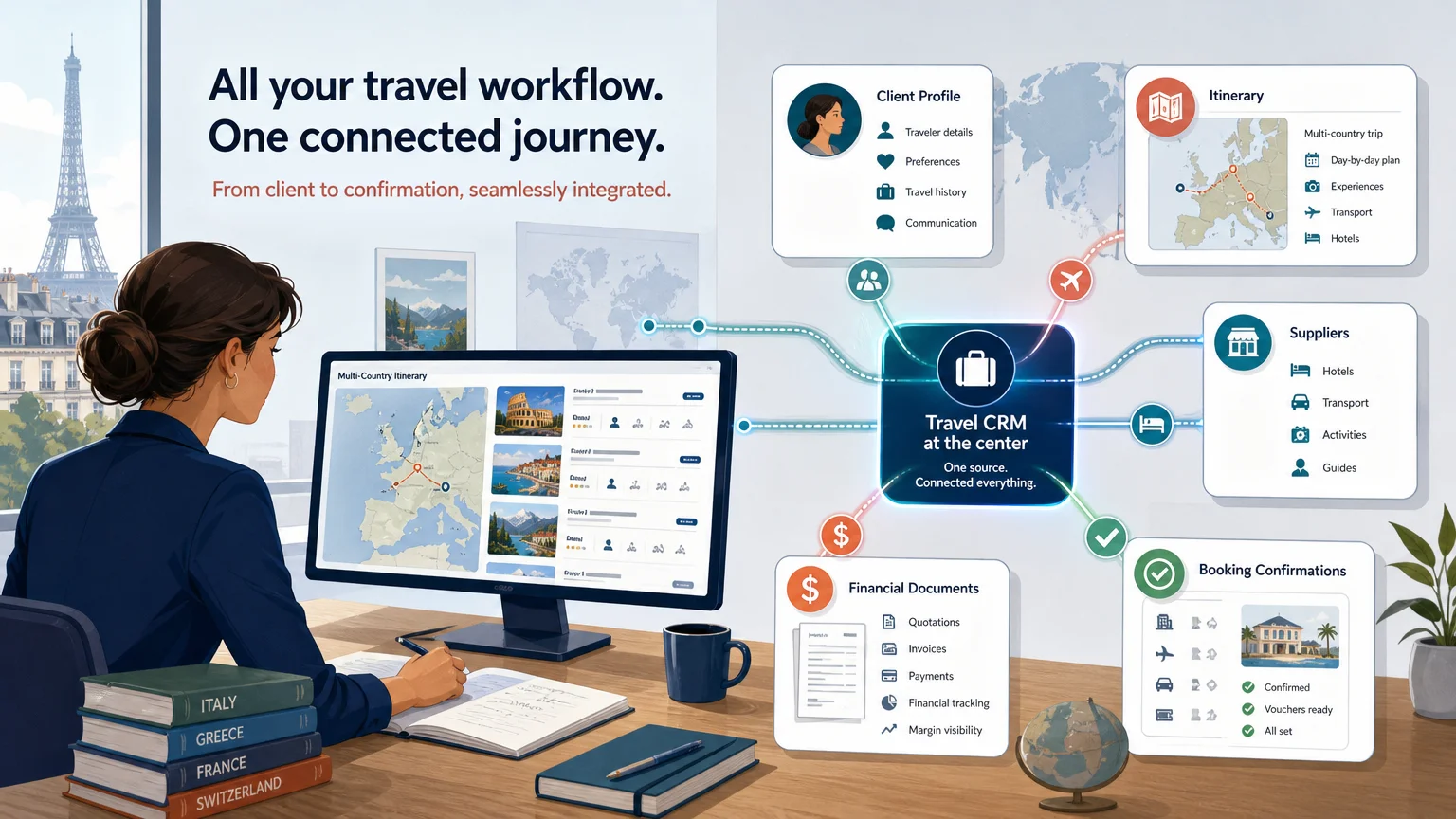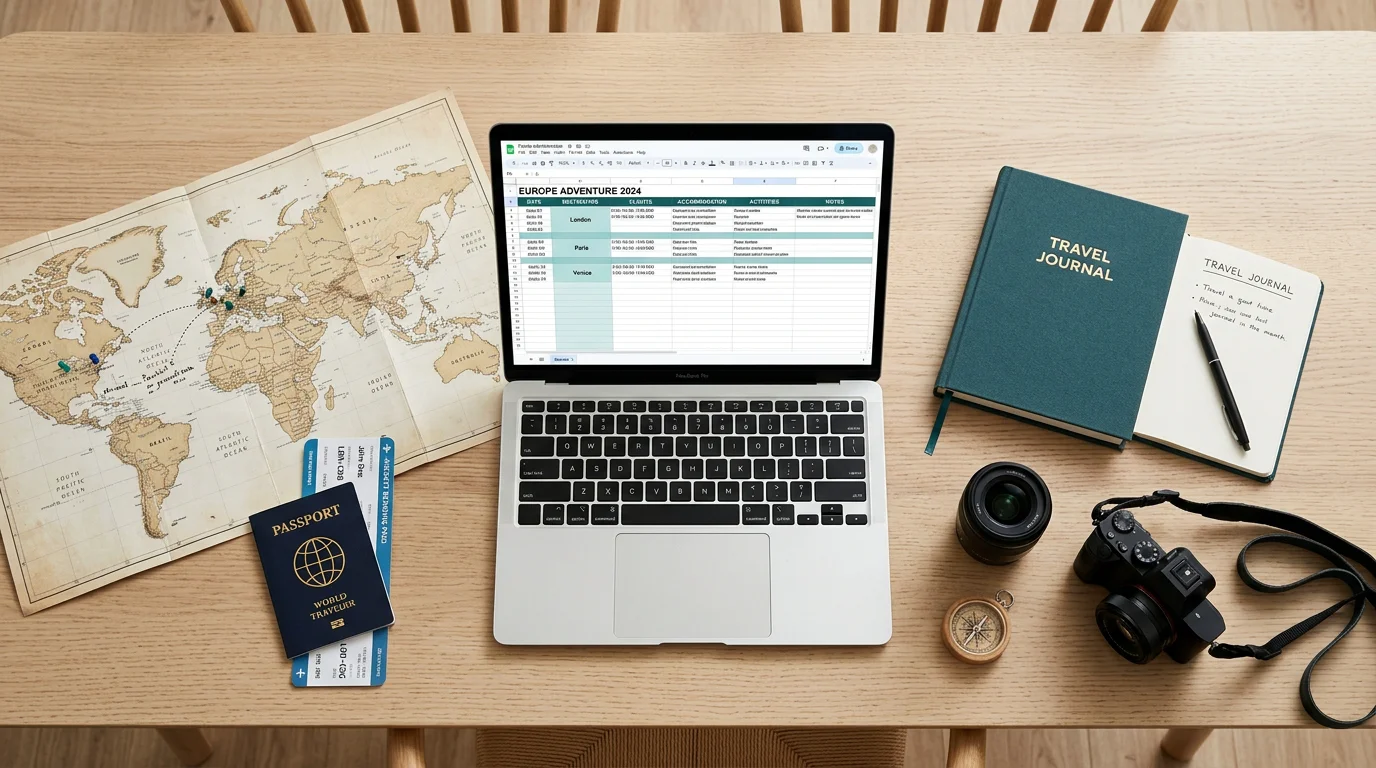

Excel vs travel agency software is a question most tailor-made agencies ask themselves at some point, usually on a busy evening, while copying a price from one spreadsheet into another. Excel got your agency off the ground, and it still does many things well. But as requests multiply, a dedicated travel agency software starts to make more sense than yet another tab in the same file.
This guide gives you an honest view of what spreadsheets do well, the seven warning signs that your agency has outgrown them, the real cost of a "free" tool, and a step-by-step way to switch without disrupting the trips you are already selling.
Excel vs travel agency software: what spreadsheets do well
Let's be fair to Excel. It is already installed on every computer, everyone on your team knows the basics, and it bends to almost any need. You can build a quote grid in an afternoon, adapt it for a group, then reuse it for an incentive trip the following week.
- Flexibility: no imposed structure, so you can model any pricing logic you like.
- Zero entry cost: no subscription, no onboarding, no new tool to learn.
- Analysis: pivot tables and charts remain excellent for reviewing sales or supplier volumes.
For a solo advisor handling a few trips per month, a well-built travel agency spreadsheet can be enough. The trouble starts when the volume grows, when several people work on the same files, and when the spreadsheet becomes the only place where your margin, your supplier status and your payments live at the same time.
7 signs your agency has outgrown Excel
If you recognise three or more of these situations, your spreadsheets are probably costing you more than they save.
1. You learn your real margin after the travellers come home
The quote showed a healthy margin, but a currency move, an unplanned supplier extra or a forgotten commission ate part of it. You only find out when the last invoice arrives. With structured budgeting, the margin is visible at every change to the quote, then compared with the actual figures when the file is closed.
2. You retype the same data from Excel to Word to email
The price lives in Excel, the day-by-day programme in Word, and the proposal goes out as an email with attachments. Every change means updating three places, and each copy is a chance to make a mistake. An itinerary builder connected to the budget updates the programme and the price together.
3. Only one person can read the file
Every agency has that colleague who built the master spreadsheet and knows which hidden column to check. When they are on holiday or leave the company, quotes slow down and errors creep in. A shared tool turns that personal knowledge into common rules: margin settings, VAT regimes and templates that work the same for everyone.
4. Quote errors and version chaos
Files named "quote_v3_final_FINAL.xlsx", a formula broken by a copied row, an old exchange rate left in a cell. These errors are common: a 2024 review of spreadsheet quality research reports that 94% of spreadsheets used in business decisions contain errors. In travel, one error can wipe out the margin of an entire group.
5. Supplier follow-up lives in your inbox
Which hotel confirmed? Did the guide receive the rooming list? When the answer requires searching through email threads, something will eventually slip. Supplier management in a dedicated tool shows the status of each service (requested, confirmed, to book) directly in the client file.
6. Deposits and balances are tracked by hand
A separate spreadsheet lists who paid the deposit, who owes the balance and when the next supplier payment is due. Reconciling it with your bank account takes hours every month. Payment management attaches each schedule and payment to its project, with online deposit and balance links.
7. You cannot answer fast, and your documents look homemade
Travellers compare several agencies. If your proposal arrives two days later as a plain PDF, the quality of your work does not show. Branded web proposals, quotes and travel books generated from your travel documents templates help you reply faster with a more professional image.
The real cost of a "free" travel agency spreadsheet
Excel costs nothing on paper. In practice, you pay for it in three ways.
- Time: retyping, checking formulas and searching for the latest version.
- Margin: pricing errors, forgotten commissions and currency losses discovered too late.
- Lost sales: slower replies and less convincing proposals convert fewer requests.
A simple illustration
Take an agency that sends 40 quotes per month and loses 30 minutes per quote to copy-pasting and checks. That is 240 hours per year, or six full working weeks. Add the margin side: on €1 million in annual sales, a single margin point represents €10,000.
Agencies using Ezus report saving 60% of the time spent building a quote, gaining 2 to 3 margin points after a year and improving their conversion rate by 3 to 5%. The DMC Travel Exclusive Asia went from 15 to 20 minutes to update a quote to 5 minutes maximum. To estimate the impact with your own figures, try the free Ezus ROI calculator.
How to move from Excel to travel agency software step by step
You do not need to replace everything overnight. A progressive migration keeps your team productive and your current trips safe.
Step 1: start with the catalogue and the budget
Your supplier rates and margin rules are the heart of your spreadsheets. Move them first: seasonal rates, commissions, VAT settings and currencies. Once quotes are built from a shared catalogue, the biggest source of errors disappears.
Step 2: import your existing data
Do not retype years of work. With Ezus, you can fill in a formatted Excel template and have your data imported for €390, delivered within 10 days. Raw data imports are quoted separately, and import is included in the Enterprise plan.
Step 3: run new requests in the tool
Keep trips already in progress in their original files until they are completed. Build every new request in the software. Within a few weeks, the spreadsheets naturally fall out of use.
Step 4: train the team, then extend
Plan short training sessions, name an internal referent, then add supplier bookings, invoicing and payments once quoting runs smoothly. At Ezus, the onboarding pack includes a dedicated specialist, setup and training sessions and 50+ ready-to-use templates. Average onboarding takes 23 days.
Count your signs, then take the first step
Excel is a great starting point, not a long-term operating system for a growing agency. If you ticked three or more of the seven signs, list the tasks that eat the most time each week and start your migration there, beginning with the catalogue and the budget.
Ezus is used by more than 600 travel agencies, DMCs and tour operators in over 70 countries. Itinerary builder, smart budgeting with real-time margins, supplier bookings, branded documents, invoicing and online payments all live in a single client file, and you can still export your documents to Excel, Word, PDF or PowerPoint at any time.
Book a demo with Ezus and discover how to replace your spreadsheets without losing what made them useful.
Frequently Asked Questions
Can a travel agency run on Excel?
Yes, especially at the start or for a solo advisor with a low volume of trips. Limits appear when several people share the files, volume grows and margins, suppliers and payments must be tracked in real time.
When should a travel agency switch from Excel to software?
When you recognise several warning signs: margin known too late, repeated retyping, dependence on one person, version errors or payments tracked by hand. Three or more signs usually mean the switch will pay for itself.
What are the main risks of managing a travel agency with spreadsheets?
Pricing errors, lost margin, out-of-date versions and dependence on the person who built the file. Supplier and payment follow-up also become hard to share across a team.
Can I import my Excel files into Ezus?
Yes. Ezus provides a formatted Excel template, and the import costs €390 excluding VAT with delivery within 10 days. Raw data is quoted on request, and import is included in the Enterprise plan.
Can I still export to Excel from Ezus?
Yes. Documents can be exported at any time in PDF, Word, PowerPoint or Excel format, and a full data export is available on request.
How long does it take to switch to Ezus?
Average onboarding takes 23 days, with a dedicated onboarding specialist for up to three months. Your subscription only starts at the onboarding kick-off.
Is travel agency software worth it for a small agency?
Often, yes, as soon as quotes take more than a few minutes to update. Ezus Professional costs €75 per user per month billed annually, and the ROI calculator shows the return for your own volume.


Join Ezus today
Request a demo today and discover how our software can help you reach new heights.